
Ravel eSIM Review: How It Works, Coverage, and Plans Explained
What if your travels could begin the moment you turn on your phone? Ravel eSIM is a digital SIM card that replaces physical plastic cards, letting you activate a mobile data plan instantly by scanning a QR code or via the app. It connects to local networks in over 200 destinations, offering flexible data packages without the need to swap or store tiny chips. The key benefit is seamless, immediate connectivity—you install it before departure, switch it on upon landing, and manage top-ups from a single dashboard.
What Exactly Is This Travel Data Service and How Does It Work?
The travel data service behind ravel eSIM is a digital SIM profile that swaps your physical carrier for a local network the moment you land. You purchase a data plan through the app before departure, then scan a QR code or auto-install the profile while connected to Wi-Fi. Once active, your phone connects to partner towers in the destination country, letting you use maps, ride-hailing, and messaging exactly as you would at home—no roaming charges or SIM card hunting. The service works by routing your traffic through a local network chosen for coverage, while the eSIM itself holds your authentication keys. You pay only for data, not calls or SMS, and you can top up or switch regions from the dashboard mid-trip. The whole system is tied to your device’s IMEI, so activation takes under two minutes.
The Core Technology Behind the Service: eSIM vs. Physical SIM

The magic of travel eSIM boils down to replacing that tiny plastic SIM card with a tiny, embedded chip already soldered inside your phone. Instead of physically swapping cards, you download a digital profile that authenticates you on a local network. This means zero fiddling with paperclips or risking your main SIM in a hotel safe. A physical SIM locks you to one carrier until you swap it, while an eSIM lets you jump between providers—often within minutes—via a QR code or an app. Instant network switching without hardware swaps is the core difference. You keep your home number active for calls and texts, while the travel eSIM handles data side-by-side. No more hunting for airport kiosks or paying insane roaming fees.
Q: Does eSIM drain battery faster than a physical SIM?
A: Not noticeably! The technology is highly efficient. In practice, you might see a tiny dip if you’re constantly switching profiles mid-trip, but for normal usage, both are equal. The real battery killer is a weak signal—so if you’re in a remote area, both types will chug equally.
How the Activation Process Works on Both Android and iPhone
Activating your ravel eSIM is a quick, platform-specific process. On **Android**, you typically scan the QR code from your confirmation email, which auto-fills the eSIM profile — once installed, you just toggle « Mobile data » on and enable the new line under « SIMs. » On an iPhone, you go to Settings > Cellular > « Add eSIM, » hit « Use QR Code, » and scan; after it installs, label it « Travel » and set it as your default for data. *One nuance: Android sometimes requires you to manually select the new eSIM as « Preferred » for calls and data, whereas iOS asks you to choose a default line immediately during setup.*
Activation timing differs too — Android usually activates in seconds after the profile downloads, while iPhone may need a quick restart if the network doesn’t appear.
Q: How the activation process works on both Android and iPhone—do I need Wi-Fi? Yes, both devices require an active Wi-Fi or cellular connection to download the eSIM file initially, but after that, the profile stays stored and activates instantly when you land.
Which Data Plans Are Available and How Do I Pick the Right One?
ravel eSIM offers regional and global data packages, plus country-specific plans that range from daily to 30-day validity, with caps between 1GB and 20GB. To pick the right one, check your destination, trip length, and usage habits—streaming or heavy navigation demands higher GB, while casual messaging works with the smallest tier. For example, a Europe regional plan suits multi-country rail trips, but a single-country option saves money if you’re staying put. Quick Q&A: How do I decide? —If you’re unsure, start with a 5GB, 15-day plan; it balances cost and buffer for typical travel, and you can top up via the app if you run low. Always confirm your device supports ravel eSIM’s network bands before purchase, then activate at the airport for instant connectivity.
Regional vs. Global Plans: What’s the Coverage Difference?

When you’re choosing between regional and global plans for your ravel eSIM, the real difference is simple: regional covers a specific cluster of countries (like Europe or Asia-Pacific) at a lower price, while global spans dozens of destinations worldwide for maximum flexibility. If your trip sticks to one area, a regional plan saves money and avoids paying for unused coverage. But if you’re hopping across continents or adding a last-minute layover, global eSIM coverage eliminates the need to reinstall a new profile—you just switch networks as you land. Regional plans often include better data allowances per dollar, yet global plans win on convenience and emergency roaming safety.
Pick regional for single-area trips on a budget; pick global for multi-country itineraries or unpredictable stops—coverage breadth is the only real trade-off.
Data Allowance and Validity Options: From 1 Day to 30 Days
ravel eSIM lets you match data to your exact trip length, with validity options from 1 day up to 30 days so you never overpay for unused days. A quick city break might only need a 1–3 day pass with 1–2 GB daily, while a month-long remote work stint calls for a 30-day package with 10–20 GB total. You can stack allowances too: pick a 5-day plan and top up mid-trip if you stream heavily. The flexible validity slider in the app shows real-time pricing per day, making it easy to compare a 7-day versus 14-day option before committing.
Q: How do I decide between a 1-day and a 30-day ravel eSIM plan?
A: Count your travel days and estimate daily usage—navigation and messaging eat ~0.5 GB, video calls ~1.5 GB per hour. If you’re unsure, start with a 7-day allowance and upgrade later; ravel only charges for the days you activate, so a 30-day validity works even if you use it sporadically across a month.
Understanding the Pricing Tiers and What Affects the Cost
Understanding the pricing tiers for ravel eSIM means recognizing that **cost scales directly with data volume and validity length**, not speed. Shorter 1-day or 3-day packs carry a higher per-GB rate, while 30-day 10GB or 20GB tiers reduce the unit price significantly. What affects the final price are three variables: destination region (Europe vs. global zones), the number of days the plan stays active, and whether you choose a data-only tier or one bundled with a voice number. Real-time top-ups are charged at a small premium over upfront purchases, so planning your usage window lowers overall spend. Pick the smallest tier that covers your trip duration, then top up only if needed.
- Compare per-GB cost across 5GB, 10GB, and 20GB tiers—larger bundles always cut unit price.
- Regional packages (e.g., single-country) cost less than multi-country global tiers.
- Longer validity (15 vs. 30 days) adds a fixed fee, but never increases per-GB rate.

What Are the Real-World Benefits of Using This Travel Connectivity Option?
A traveler lands in Lisbon, phone silent, no signal. With a travel eSIM, that anxiety vanishes before boarding. The real-world benefit is instant, seamless connectivity the moment the plane door opens—no hunting for local SIM kiosks or wrestling with airport Wi-Fi passwords. Travel eSIMs replace physical SIM swapping with a digital profile, letting you keep your primary number active for calls and banking alerts while using a local data plan for maps and messaging. This matters when you land at 2 AM and need to reach your Airbnb host, or when navigating a foreign city alone. The practical payoff is staying reachable—for family emergencies, work calls, or simply sharing a sunset live—without staggering roaming bills.
With a travel eSIM, connectivity becomes a background utility, not a travel hurdle.
You buy, scan, and connect—spending more time exploring and less time troubleshooting. For a two-week trip across multiple countries, one eSIM prevents the daily ritual of buying new cards and juggling tiny SIM trays. That’s the real, tangible benefit: freedom to move, speak, and navigate without losing your digital lifeline.
How It Saves You Money Compared to International Roaming Fees
With a travel eSIM, you pre-pay local or regional data rates that are a fraction of what your home carrier charges per megabyte abroad. Instead of returning to a shocking bill after a week of casual map use, you control costs with transparent data packages before you land. Those hidden daily activation fees and per-minute call surcharges vanish entirely because you operate on local network pricing. This direct comparison shows how travel eSIMs slash connectivity expenses by eliminating the exorbitant markup carriers impose on roaming partners—often 5 to 10 times higher. You only pay for the data you actually need, not a bloated bundled plan, so every megabyte stays budgeted and bill-free.
By bypassing carrier roaming agreements entirely, a travel eSIM turns unpredictable daily surcharges into a single, flat, local-rate payment—keeping your trip’s connectivity cost low and fully planned.
Can You Keep Your WhatsApp Number and Stay Reachable While Abroad?
Yes, you can absolutely keep your WhatsApp number and stay reachable while abroad with a travel eSIM. Since WhatsApp ties your account to your number, many worry that swapping in a new eSIM breaks that link—but it doesn’t. Your eSIM provides data, not a new phone number, so your existing WhatsApp profile stays active exactly as it is. You’ll keep texting, calling, and receiving messages over the eSIM’s data connection, even without a local SIM. This is the biggest practical benefit of travel eSIM connectivity: seamless chat continuity without telling anyone you’ve changed numbers.
**Q: Can you keep your WhatsApp number and stay reachable while abroad using a travel eSIM?**
A: Yes—just install the eSIM, keep your primary line disabled, and WhatsApp works normally over data. No number change, no missed messages.
Speed and Reliability: What Network Speeds Can You Expect on the Go?
With a travel eSIM, you’re tapping into local 4G LTE and, increasingly, 5G networks, so **real-world download speeds on the go** typically land between 20 and 100 Mbps in urban hubs—enough for HD video calls, live navigation, and instant photo backups. In rural zones or while on trains, expect drops to 5–15 Mbps, but the connection usually stays stable because the eSIM auto-switches to the strongest carrier partner. Unlike roaming, where speeds get throttled after a few GB, your travel eSIM maintains consistent throughput for the entire trip, even during peak tourist hours. For latency-sensitive tasks like VoIP or mobile gaming, you’re looking at 30–50ms, which feels responsive.
Q: What network speeds can you expect on the go with a travel eSIM in a moving vehicle?
A: On highways or intercity buses, you’ll still get dependable 4G coverage at 10–30 Mbps, though tunnels and mountain passes may cause brief buffering. The key is that handovers between towers happen without you reconnecting—so your video stream stutters for a second, then recovers, rather than dropping entirely.
Step-by-Step Setup Guide: How to Get Online Before You Even Land
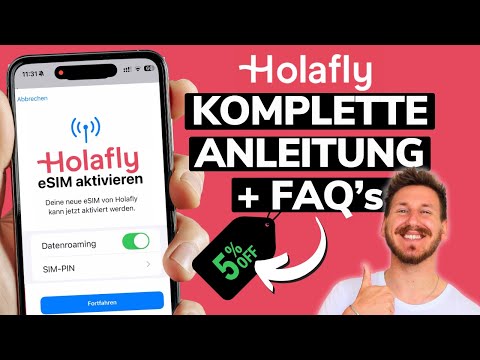
To get online before you even land with ravel eSIM, simply purchase your plan from the app or website while still at home—no physical SIM needed. After checkout, you’ll receive a QR code or installation link directly to your email. Before departure, connect to any Wi-Fi, scan the QR code into your phone’s cellular settings, and the eSIM profile installs in about two minutes. Enable data roaming (ravel works seamlessly in 200+ destinations) and set the eSIM as your primary data line. Once installed, your phone stays ready—the moment the plane touches down, you’re live, with no airport best esim philippines kiosk or local SIM hunt.
Pro tip: install the profile at least 24 hours before your flight, so you can test connectivity and avoid last-minute Wi-Fi panics.
Purchasing the Right Package: A Quick Walkthrough of the Checkout
Once you’ve selected your destination and data allowance, the checkout for ravel eSIM’s package purchase is intentionally streamlined. Confirm your travel dates—though activation is flexible, so you can buy now and connect later. Review the data volume against your planned usage; if unsure, choose a mid-tier package, as top-ups are easy post-purchase. Enter your email for the QR code delivery, then pay via card or wallet. No account creation is required, and the entire process takes under two minutes. After payment, the eSIM profile lands in your inbox immediately, ready to scan before you board.
Pick your region, verify data size, pay fast, and receive your QR code instantly—ravel eSIM’s checkout locks in your connectivity in under two minutes.
Scanning the QR Code: The Easiest Way to Install the Profile
Once your ravel eSIM purchase is confirmed, the fastest route to connectivity is scanning the QR code to install the eSIM profile sent to your email. Open your phone’s Settings, navigate to Cellular or Mobile Data, and select “Add eSIM.” Point your camera at the QR code displayed on your device or printed on the confirmation page; the profile downloads within seconds. Ensure your device is connected to Wi-Fi during this step to avoid mobile data conflicts. After installation, label the profile as “ravel” and set it as your default for data roaming. For dual-SIM users, assign it to the secondary slot to keep your primary line active for calls.

What to Do If the Installation Fails or You Run Into a Connectivity Dropout
If your **ravel eSIM installation fails**, first confirm your device’s carrier lock status and that the QR code hasn’t expired—then manually enter the activation code from your confirmation email. For a connectivity dropout mid-trip, toggle airplane mode for 30 seconds; if that fails, delete the eSIM profile and re-scan the original QR (it remains valid for 12 months). Always download your eSIM while on Wi-Fi before departure, as hotel or airport networks can throttle activation. Persistent dropouts often stem from incorrect APN settings—reset network settings, then reinstall the profile without removing your physical SIM. If issues persist, use the in-app chat for a fresh profile push within minutes.
Q: What do I do if the installation fails after multiple attempts?
A: Force-restart your phone, disable any VPN, and verify your device’s eSIM compatibility list—then reinstall using the manual SM-DP+ address from your account dashboard, never the QR.
Common User Questions and Troubleshooting Quick Fixes for Travelers
Travelers using a ravel eSIM often ask, “Why isn’t my data working after landing?” The quick fix: toggle airplane mode on/off, then manually select your local network under settings. If you see “No Service,” check that the eSIM profile is activated—go to Settings > Cellular > Enable This Line. Another common question: “Can I top up mid-trip?” Yes, log into the ravel app or portal, buy a data pack, and it activates within minutes—no new QR code needed. For slow speeds, restart your phone or switch from “5G” to “LTE.” And if calls fail? Remember, ravel eSIM is data-only, so use WhatsApp or FaceTime for voice.

Can You Hotspot or Tether Other Devices to Your Travel Data Connection?
Yes, you can typically hotspot or tether other devices to your travel eSIM data connection, provided your smartphone’s hardware and carrier profile allow it. Most travel eSIM providers do not block tethering, so your laptop or tablet can share the same data pool. However, check your eSIM plan’s terms—some budget packages cap tethering speeds or restrict it entirely. To enable it, go to your device’s mobile network settings and turn on “Portable Wi-Fi hotspot” or “Bluetooth tethering.” If it fails, ensure APN settings match the eSIM provider’s configuration, as an incorrect APN can silently disable sharing. Also, confirm your phone isn’t in “data saver” mode, which may block other devices. For multi-device users, verify whether your plan includes “unlimited hotspot” or a separate tethering allowance, since tethering consumes data faster than phone-only use.
| Aspect | Typical Behavior |
|---|---|
| Default support | Enabled on most travel eSIMs |
| Speed limit after tethering | May drop to 3G/4G in some plans |
| Fix if not working | Re-enter APN, toggle hotspot off/on |
What Happens When You Run Out of Data Mid-Trip, and How Top-Ups Work
When you run out of data mid-trip with a ravel eSIM, your connection doesn’t vanish instantly—you’ll receive a notification and can still manage your plan through the app. Topping up is a seamless, real-time process: purchase a new data bundle directly from your ravel dashboard, and it activates immediately without swapping SIMs or restarting your device. Top-ups work by adding a fresh data package to your existing eSIM profile, preserving your original number and settings. You can even stack bundles, so your new allowance kicks in only after the current one is fully depleted, preventing accidental waste. This ensures you never face a dead zone during critical navigation or communication moments.
- Check remaining data in the ravel app before hitting zero to avoid an unexpected cutoff.
- Choose a top-up in the same country or a global pack, depending on your next destination.
- Confirm payment method and watch the balance update within seconds of purchase.
- Keep the app installed with push notifications enabled for instant low-data alerts.
Is the Service Refundable or Transferable if Your Flight Gets Canceled?
If your flight is canceled, the refundability of your travel eSIM depends entirely on the provider’s specific activation policy, not on the airline’s action. Most plans are non-refundable once the eSIM is activated or the validity period begins, but many providers offer a grace window—typically 24 to 48 hours after purchase—for a full refund if the data hasn’t been used. Transferability is likewise conditional: some providers allow you to shift the plan to a different device or date via your account dashboard, but only if the eSIM hasn’t been installed or activated. Crucially, pre-purchase cancellation protection is rarely automatic, so you must check the terms before buying. If your flight is canceled, contact support immediately with your order number; refunds for unused, unactivated plans are more likely than for partially used ones.